
Switch Between Yards and Meters
- Press and hold ENTER + DOWN simultaneously for 2 seconds to switch between yards and meters.
Switch Between Yards and Meters
- Press and hold ENTER + DOWN simultaneously for 2 seconds to switch between yards and meters.
Backlight Control
- Press and hold ENTER for 2 seconds to turn the backlight ON or OFF.
- For battery preservation, ensure the backlight is turned off when not needed.
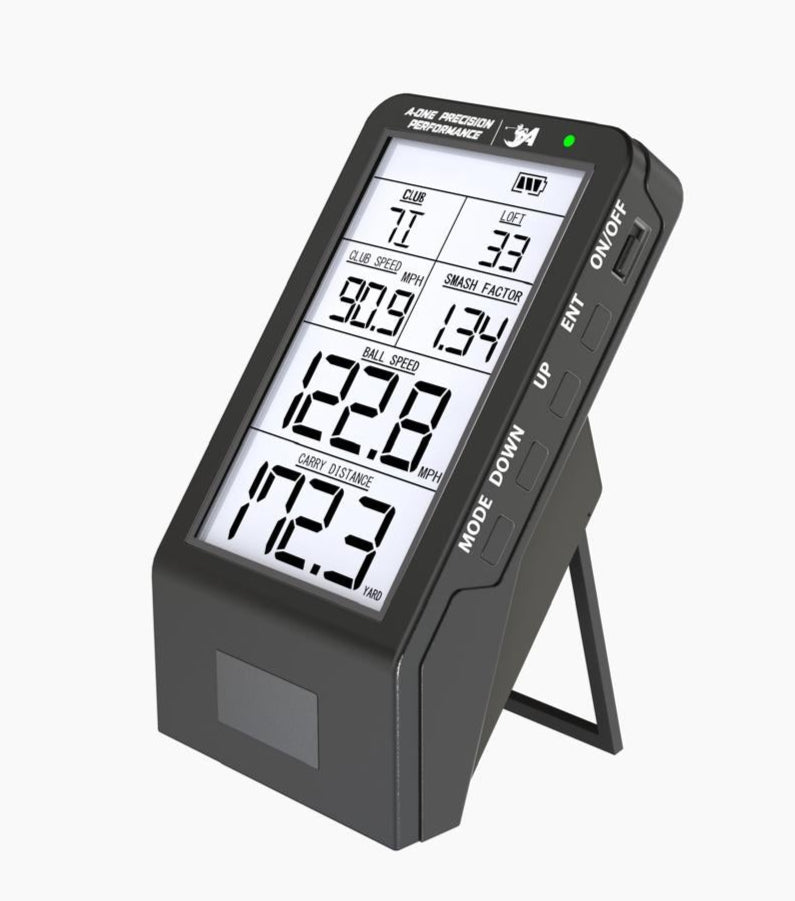
Power On / Off
Instructions:
- Slide the power switch to ON to turn on.
- Slide the power switch to OFF to turn off.
Modify Club
- Press ENTER once — the club name will start flashing.
- Use UP / DOWN to scroll through available clubs.
- Press ENTER to confirm the selected club.
Delete All Records
- Press and hold UP + DOWN simultaneously for 2 seconds to delete all records.
Switch Between Yards and Meters
- Press and hold ENTER + DOWN simultaneously for 2 seconds to switch between yards and meters.
Switch Between Yards and Meters
- Press and hold ENTER + DOWN simultaneously for 2 seconds to switch between yards and meters.
Backlight Control
- Press and hold ENTER for 2 seconds to turn the backlight ON or OFF.
- For battery preservation, ensure the backlight is turned off when not needed.
Power On / Off
Instructions:
- Slide the power switch to ON to turn on.
- Slide the power switch to OFF to turn off.
Modify Club
- Press ENTER once — the club name will start flashing.
- Use UP / DOWN to scroll through available clubs.
- Press ENTER to confirm the selected club.
Delete All Records
- Press and hold UP + DOWN simultaneously for 2 seconds to delete all records.
Speed Training Mode
- Press and hold MODE for 2 seconds to enter Speed Training Mode.
- In this mode, only club speed will be displayed.
- ⚠️ Do not use a golf ball while in Speed Training Mode.
Need Help? Chat with Us on WhatsApp

If you have any questions or need further assistance, we’re just a message away.
👉 Click here to chat on WhatsApp